Glow
Solar design inside the system that runs the job
Pin the roof, lay the panels out from your own catalog and send the production estimate.
Request a call
It's a limited release. Request a call and we'll switch it on.
The roof
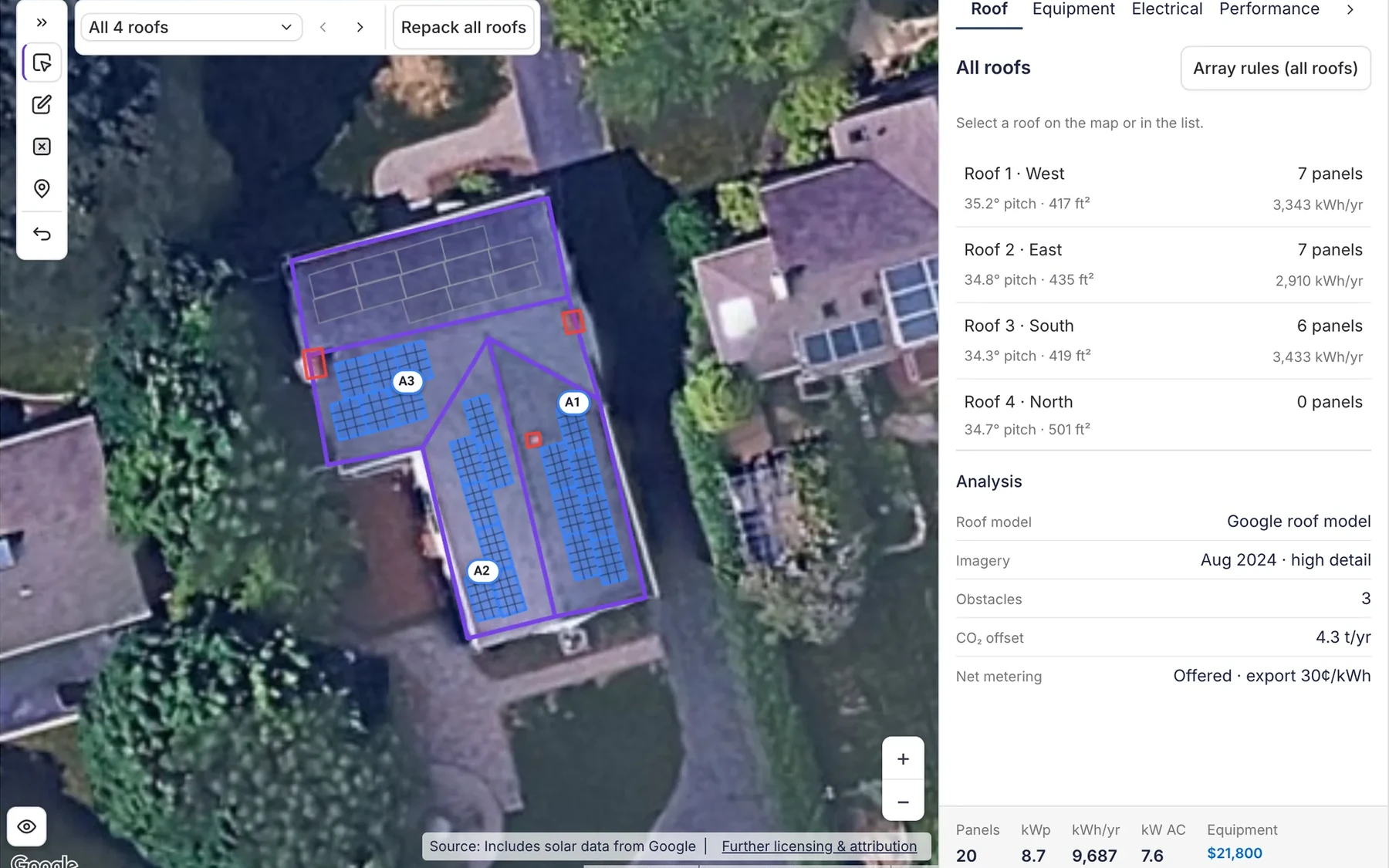
Glow finds the roof faces on high-resolution imagery and lays the panels out, best-yielding first.
Then ask Dave
Ask Dave for the design and he runs the roof analysis and drafts the design and estimate.
Also in Glow
- Your catalog
- Panels, inverters and batteries you actually install, at your prices, with the datasheet attached.
- The savings picture
- PVWatts production, and net-metering credits month by month from the customer's own tariff rates.
- Then it stops being a design tool
- The design becomes the priced proposal, the materials list and the purchase orders on the same job.
Frequently asked questions
- What is Glow?
- Glow is solar design built into Payaca. You pin the roof, Glow pulls high-resolution imagery, finds the roof faces and lays the panels out, and the design becomes the priced items on the proposal, in the same project your team runs the survey and the invoice from.
- Can I use Glow now?
- Glow is in limited release with a small group of installers running it on real jobs. Request a call and we'll switch it on for your account.
- How is shading assessed?
- Automatically, on each roof face. Glow measures solar access from the horizon in the surface model and the objects near the property, and shows it for the faces the panels sit on. Production itself is a PVWatts weather estimate, which doesn't model individual obstacles, so where tree cover or a structure sits over the panels, the estimate says it will be checked on the site visit.
- How does Glow estimate production and savings?
- Annual production is estimated with PVWatts, using NREL weather data for the site, the roof's pitch and azimuth and the system size. For savings, Glow compares a flat export payment with a monthly kWh credit bank over the next 12 months, shows how unused credits carry into later months, using the import and export rates you enter from the customer's tariff, or a regional default.
- Where does the equipment data come from?
- From a catalogue of panels, inverters and batteries built from manufacturers' datasheets, with the technical data and the datasheet attached to the product, so the spec sheet goes out with the proposal.
- Do I still need my design tool?
- For solar, Glow does the design and the estimate. The OpenSolar integration is unchanged and keeps working, so you can run both.
- What happens after the design?
- The kit on the design becomes the priced items on the proposal, the proposal becomes the materials list, and the materials list becomes purchase orders to your suppliers or a draw from your own stock at real cost. The margin on the job is live from the day it's quoted.
Read more
Design tool integrationsDedicated onboarding available
Ready to run your whole install business in one system?
Growing installers run their whole job on Payaca, from quote to final payment. We'll handle your workflow mapping and data migration.
- Dedicated onboarding
- Data migration support
- AI + human support