Field service management software for solar and heat pump installers
Field service sits inside Payaca next to the CRM and the project management, so the crew, the office and the customer work from one record. Built for solar, heat pump, battery and EV charger contractors who outgrew generic field service tools.
No credit card needed. ISO 27001 certified.
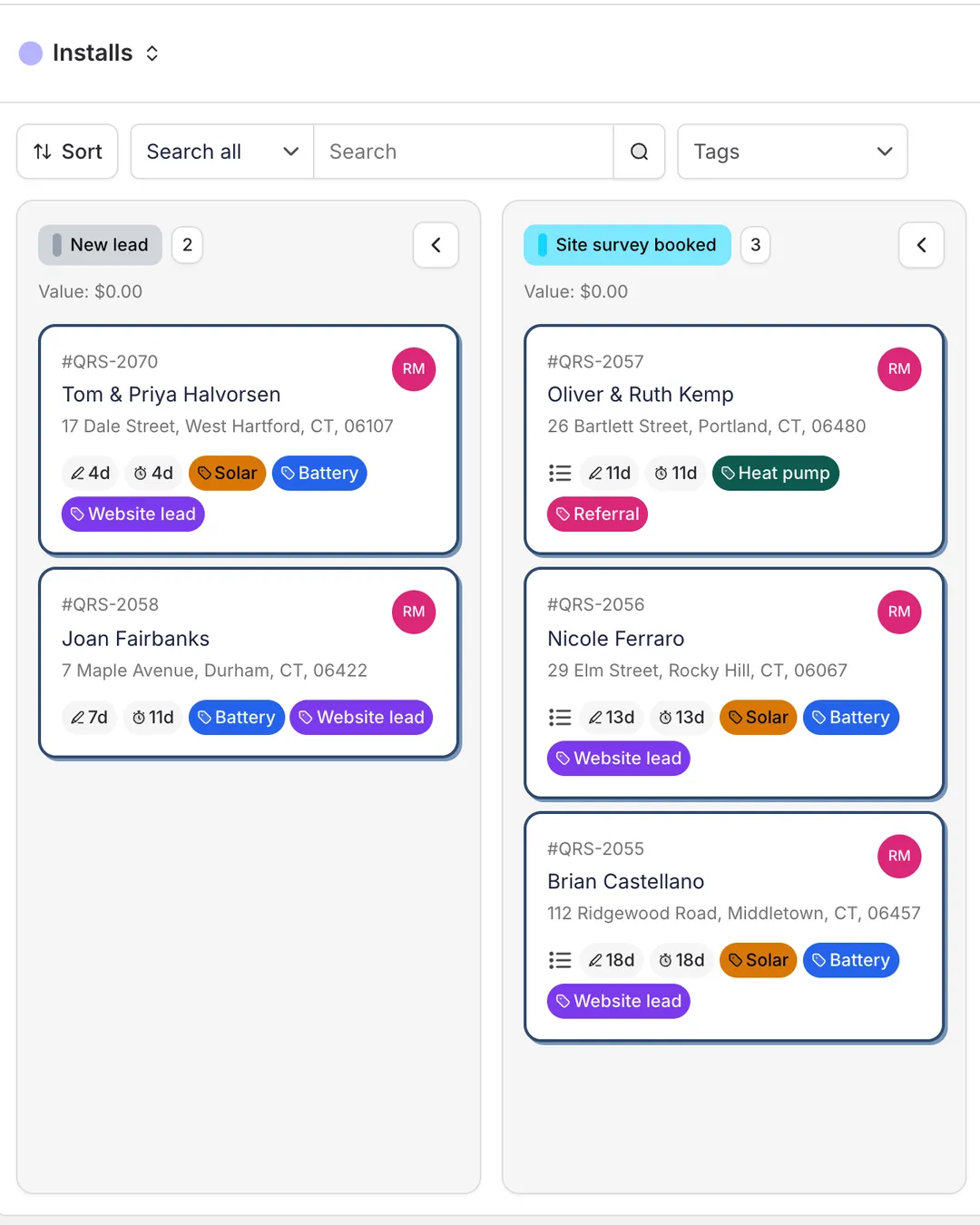
Why clean energy installers outgrow generic field service software
If any of these sound familiar, you are running install ops on a tool that was never built for it.
Generic field service software treats every install the same. ServiceTitan and Jobber were built for plumbing and HVAC service calls, not multi-day installs with permits and inspections.
Office and field run on different sources of truth. Design in one tool, quotes in a CRM, jobs in a spreadsheet, and the crew turns up with a printout.
What makes Payaca different
Quarry Ridge Solar & Storage, a demo installer, from install day to paid.
Mobile field app, offline-capable
Crews fill in the install record on iOS or Android, with photos and serial numbers, and it syncs back to the project when signal returns.
Stage payments on one schedule
Deposit, installation and final payments sit on the project next to the work, and each is marked paid as it comes in.

Multi-stage project pipelines. Sales, design, permitting, install, inspection and PTO, set up the way your team works. How Payaca does it →
The schedule and the map. See the week's jobs on a map and book the ones still waiting near crews already out. How Payaca does it →
Generate and sign documents on site. Crews create a commissioning certificate or handover pack from the job and take the signature there, fully offline. Ready-made blueprints get you started. How Payaca does it →
Agent Dave, the AI built into Payaca. Ask for a project's status or this week's pipeline and he answers from your real data. He never sends anything to a customer. How Payaca does it →
Built for every clean energy install
One system, four installer types, the same workflow underneath.
Solar installers. Design with Glow or import from OpenSolar, track permits and PTO, run install crews in one system. How Payaca does it →
Heat pump installers. Multi-option proposals, commissioning data on mobile, and every install in one system. How Payaca does it →
Battery storage installers. Proposals for solar plus storage and project tracking through inspection. How Payaca does it →
EV charger installers. Survey to install workflow and multi-site project management. How Payaca does it →
How Payaca compares
Quick takes on the platforms US clean energy installers consider, with deeper comparisons if you want them.
Enterprise platform priced for 100+ tech operations
General home services, no clean tech workflow
Powerful but needs consultants to wire in install ops
Sales CRM, not built for field operations
Roofing CRM with solar bolted on
Pipedrive, Monday, and other tools repurposed for ops
Field service software FAQ
What is field service software for clean energy installers?
Field service software for clean energy is one system that handles the sales, design, install, and service workflow for solar, heat pump, battery, and EV charger contractors. Beyond standard CRM and scheduling, it designs in the system or imports from design tools such as OpenSolar, supports multi-stage install projects with permitting and inspection stages, and captures commissioning data on mobile. Generic field service tools were built for plumbing and HVAC service calls; clean energy field service software ships with the install workflow built in.
How is Payaca different from ServiceTitan and Jobber?
ServiceTitan is enterprise software, priced per technician on request, and scoped for large HVAC and plumbing operations. Jobber is general home services software, strong for one-visit jobs but light on multi-stage install workflow and design tool integration. Payaca is built specifically for clean energy installers (10 to 50+ employees) who need the install workflow without enterprise pricing. Growth and Scale include guided onboarding with data migration, as a one-off paid setup.
Can I design in Payaca, and does it integrate with OpenSolar?
Yes. Solar design is built into Payaca with Glow, in limited release, so the design becomes the priced proposal on the same project. If you already design in OpenSolar, that integration still works and designs import without re-keying.
How does Payaca handle US permits and inspections?
Permits and inspections are pipeline stages in Payaca. You can build a workflow that mirrors your local AHJ process: plan submission, plan check, building permit issued, electrical inspection, final inspection, PTO. Custom fields capture permit numbers and AHJ contacts. Automated reminders flag stages sitting too long. Documents stay attached to the project so the install crew and back office work from the same source of truth.
Does Payaca have a mobile app for field crews?
Yes. The Payaca mobile app works on iOS and Android with offline mode for rooftop and remote sites. Crews see the latest design, customer details, and job notes, and can capture photos, signatures, refrigerant amounts, and commissioning data right in the app. Everything syncs back to the project when signal is available.
Can field crews generate and sign documents on site?
Yes. A field crew can create a document from any of your account's templates against the job they are on, such as a commissioning certificate, inspection report, or handover pack, and Payaca fills it in from the project's data. If the template captures a signature, the person on site can sign it there and then on the crew's device, whether that is the homeowner, the site contact, or a tenant's representative rather than only the account holder. Generating the document, filling it in, and capturing the signature all work completely offline and sync back to the project when signal returns. Previously a back-office user had to create the document first; now the crew can close the paperwork before they leave site.
What are document blueprints?
Document blueprints are ready-made forms you can add to your account in one click: commissioning sheets, inspection reports, handover documents, and other paperwork installers produce on every job. Each blueprint comes complete with the document template that produces the finished file and the custom fields that capture the data it needs, already wired together, so there is no setup before you use it. Browse the library, preview the document a blueprint produces, add it, and it is ready to use on any project straight away.
What does Payaca cost compared to ServiceTitan, Salesforce, or Jobber?
See current Payaca plans and what each includes at https://payaca.com/pricing/us. ServiceTitan does not publish its prices and quotes per technician. Salesforce starts cheaper but adds up quickly with custom objects, integration fees, and consultant time. Jobber is the cheapest entry point but lacks clean energy workflow. Most installers find Payaca lower total cost of ownership because the install workflow is built in.
How long does it take to switch field service software?
Onboarding is guided and includes full data migration, workflow setup, and team training. We map your sales-to-install process, import your existing customer and project data, and train your team on web and mobile.
See Payaca built for your install workflow
30-minute demo. We will tailor it to your install volume, design tools, and field ops stack. No generic walkthrough.