Speak to Agent Dave with voice input

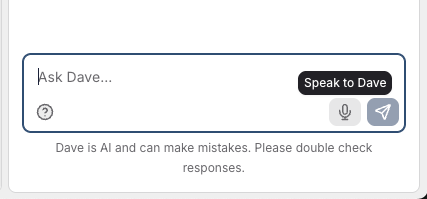
You can now talk to Agent Dave using your voice. Tap the microphone button in the chat input and start speaking - your words will appear in real time as you dictate.
How it works
When you're chatting with Dave, you'll see a microphone icon next to the send button. Tap it to start listening, then speak naturally. You'll see your words appear as you talk.
Tap the red stop button when you are done. If it mishears any words, you can edit it before sending the message to Dave.
Availability
Voice input works in the the latest versions of Chrome, Edge and Safari.