Add ready-made forms to your account with Document blueprints

The forms field service teams rely on - gas safety records, commissioning sheets, inspection reports - are the same from one job to the next. Until now, building one in Payaca meant setting it up from scratch every time.
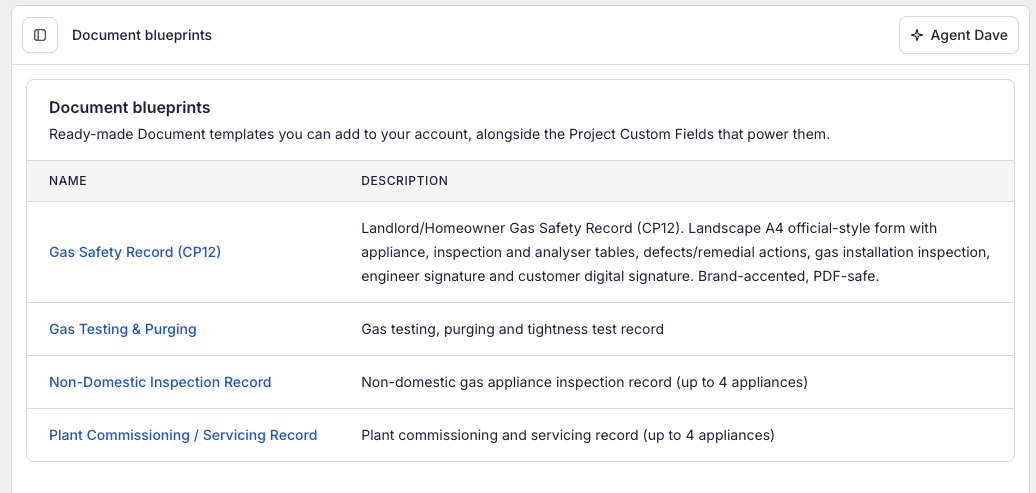
Document blueprints are those forms, ready-made. Browse Payaca's library, find the form you need, and add it to your account in one click. Each blueprint comes complete with the Document template that produces the finished document, and the Custom Fields that capture the data it needs - already wired together, so it works the moment you add it.
How it works
- Browse the Document blueprints library from your Document templates list, or from Project Custom Fields in your settings.
- Preview any blueprint to see the document it produces and the data it captures.
- Add to account. The form is ready to use on any Project straight away.
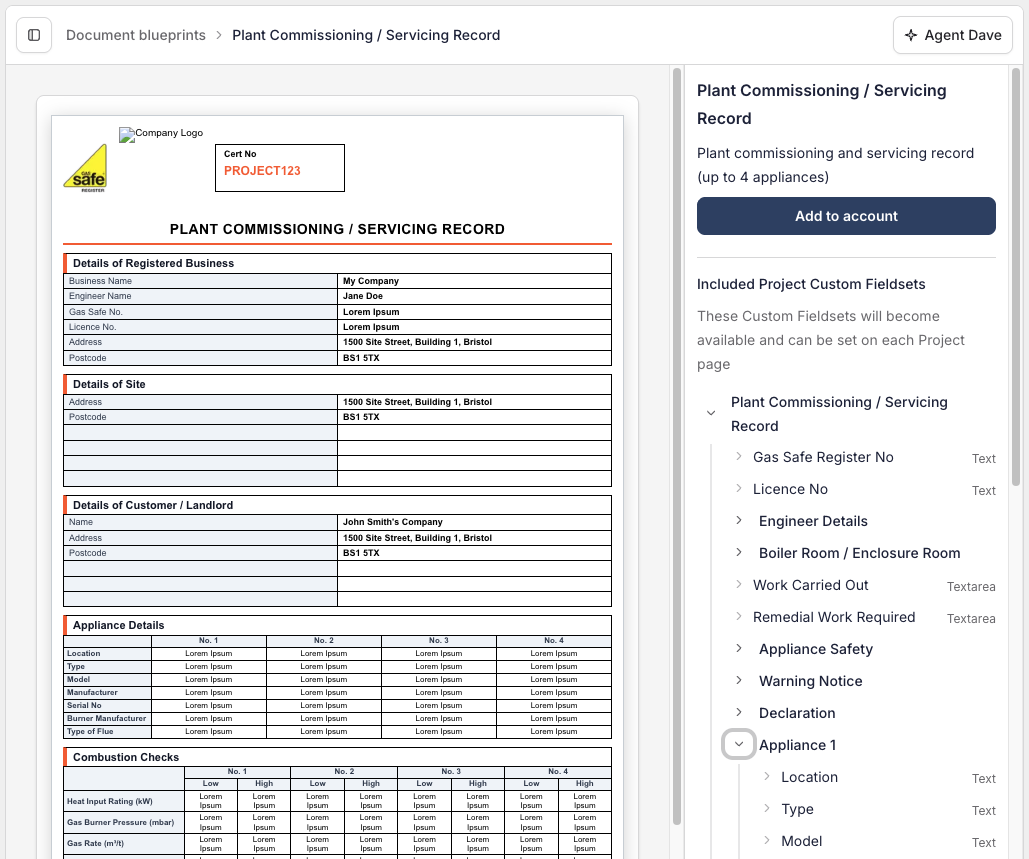
There's no setup or wiring up to do. From there it works just like any other custom HTML Document template: capture the details on the Project, and the finished document fills itself in.
A growing library
Document blueprints cover the compliance and handover paperwork field service teams produce again and again. We'll keep adding to the library over time, so the forms you'd otherwise build by hand are increasingly ready and waiting.