Jobber is field service software for home service trades, from HVAC and plumbing to landscaping. It's built around the job: quote, schedule, visit, invoice. Its website leads on scheduling and route optimization, and also lists Jobber AI and an AI Receptionist for calls and texts.
A solar, battery, heat pump or EV charger install isn't a single job. It's a project, with a design that flows into the quote, a permit, an inspection and several visits. Payaca is built around that project, with solar design, multi-stage pipelines and permit tracking on one record. Here's how they compare.
The short answer
Jobber is field service software built around single-visit and recurring service jobs. A clean energy install is a project, with a design, a permit, an inspection and several visits, and Payaca is built around that project.
- Payaca is best for growing install teams running multi-stage solar, storage and heat pump projects rather than single-visit service calls.
- Jobber is best for home service businesses doing single-visit or recurring jobs, such as HVAC, plumbing and landscaping, who want fast quoting, scheduling and invoicing.
- Payaca publishes its pricing: Growth, the standard plan for established install businesses, is $1,724/month. Current plans and eligibility are on the pricing page. Jobber publishes its plan prices, set by plan and team size, with paid add-ons.
Looking at this yourself?
We'll show you your own jobs in Payaca, side by side with how you run them in Jobber today. Request a demo
Feature comparison
| Feature | Payaca | Jobber |
|---|---|---|
| Industry focus | Built specifically for clean tech: solar, heat pumps, batteries, EV | Field service software for 50+ home and commercial service trades, from HVAC and plumbing to landscaping |
| Design tool integration | Glow (limited release), or import from OpenSolar | No solar design tools in its app marketplace (it does connect to EagleView roof measurements) |
| Quoting & proposals | Multi-option proposals priced from Glow or OpenSolar designs, with e-signatures | Quotes with package options, optional add-ons, online approval, automated follow-ups and Wisetack financing |
| Project complexity | Multi-stage project pipelines for complex installations | Job-based workflow (visits, checklists, job costing), with a sales pipeline add-on, rather than multi-stage install projects |
| Scheduling | Map-based scheduling with drag-and-drop | Scheduling by availability and drive time, route optimization and crew assignment |
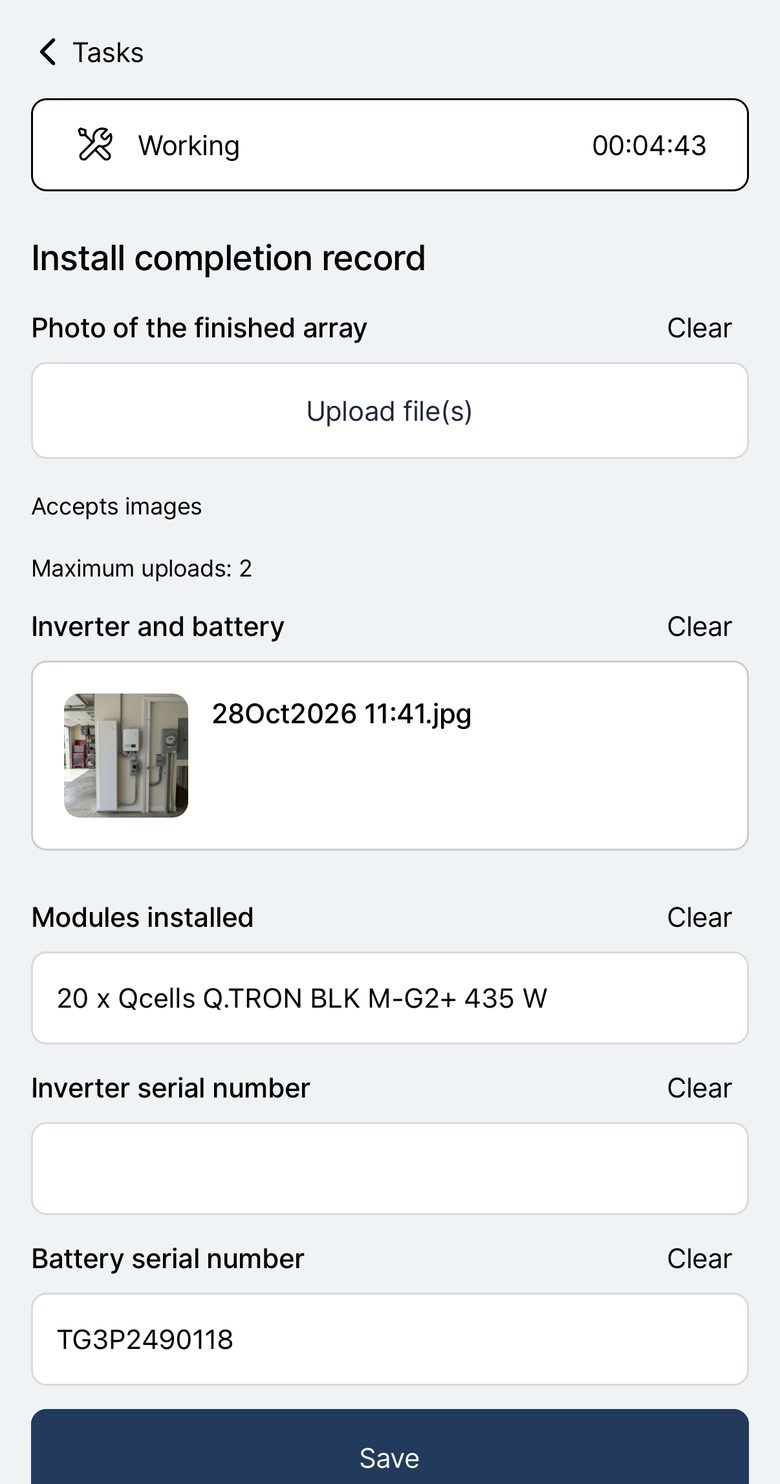
| Mobile app | Field app that works fully offline, with installation forms | Mobile app with offline access for some tasks |
| Invoicing | Project-based invoicing with two-way sync with QuickBooks and Xero | Invoicing and payments, with QuickBooks Online and Xero integrations |
| Client communication | Customer portal with project tracking and online payments | Client hub for quote approval and payments, online booking and two-way texting |
| AI features | Agent Dave, the AI built into Payaca, answers questions from your account data, builds automations you check before they go live, and drafts documents, templates and custom fields | Jobber AI builds reports on request, suggests automations, drafts quotes and works by voice in the field; AI Receptionist answers calls and texts |
| Permit tracking | Permits, inspections, PTO and interconnection tracked on the project with stages, custom fields and documents | No built-in permit tracking; third-party permit filing apps (such as Permitio) in its marketplace |
Industry focus
Built specifically for clean tech: solar, heat pumps, batteries, EV
Field service software for 50+ home and commercial service trades, from HVAC and plumbing to landscaping
Design tool integration
Glow (limited release), or import from OpenSolar
No solar design tools in its app marketplace (it does connect to EagleView roof measurements)
Quoting & proposals
Multi-option proposals priced from Glow or OpenSolar designs, with e-signatures
Quotes with package options, optional add-ons, online approval, automated follow-ups and Wisetack financing
Project complexity
Multi-stage project pipelines for complex installations
Job-based workflow (visits, checklists, job costing), with a sales pipeline add-on, rather than multi-stage install projects
Scheduling
Map-based scheduling with drag-and-drop
Scheduling by availability and drive time, route optimization and crew assignment
Mobile app
Field app that works fully offline, with installation forms
Mobile app with offline access for some tasks
Invoicing
Project-based invoicing with two-way sync with QuickBooks and Xero
Invoicing and payments, with QuickBooks Online and Xero integrations
Client communication
Customer portal with project tracking and online payments
Client hub for quote approval and payments, online booking and two-way texting
AI features
Agent Dave, the AI built into Payaca, answers questions from your account data, builds automations you check before they go live, and drafts documents, templates and custom fields
Jobber AI builds reports on request, suggests automations, drafts quotes and works by voice in the field; AI Receptionist answers calls and texts
Permit tracking
Permits, inspections, PTO and interconnection tracked on the project with stages, custom fields and documents
No built-in permit tracking; third-party permit filing apps (such as Permitio) in its marketplace
See it in Payaca
The real product, on our demo accounts.
Operations & scheduling
Schedule your field team on a map and track every job. More on Operations & scheduling
The whole job in 100 seconds
Switching from Jobber
Jobber exports clients and jobs as CSV files. Clients come into Payaca as customers with their contacts and addresses, and open jobs as projects at the right pipeline stage, with the tags, custom fields and notes that go with them. Files you still need can be attached to the project.
Past invoices and payments usually stay in QuickBooks or Xero, where they already live, and Payaca's two-way sync takes over from the day you switch.
Guided onboarding is available on Growth and above: we map your workflows, migrate your data and train your team, for a one-off $2,000. The pricing page has the details.
Which is right for you?
Choose Payaca if
- You install solar, batteries, heat pumps or EV chargers
- You want solar design in the same system as the job
- You manage complex, multi-stage installations
- You want permits, inspections, PTO and interconnection tracked on the project
- You want an AI assistant that knows your business and shows its work
Consider Jobber if
- You do general home services (plumbing, landscaping, HVAC)
- You want published, team-size pricing and a fast self-serve start
- Your work is mostly single-visit or recurring service jobs
Questions
What's the main difference between Payaca and Jobber?
Payaca is built for clean energy install businesses (solar, batteries, heat pumps, EV chargers), with solar design, multi-stage project pipelines and permit tracking on the project. Jobber is field service software for 50+ service trades, built around quoting, scheduling, invoicing and customer communication for job-based work. If your work is multi-stage installation projects, Payaca fits that shape.
Does Jobber have solar design tool integrations?
Not that we could find. Jobber's app marketplace lists over 100 tools, including EagleView roof measurements, but no solar design tools like OpenSolar, so designs would be re-keyed into quotes. Payaca designs the roof with Glow, in limited release, and imports OpenSolar designs, so the design lands on the proposal and project either way.
Is Jobber cheaper than Payaca?
On list price, yes. Jobber publishes plans priced by team size, and its entry plans cost far less than Payaca's Growth plan. Jobber isn't built around solar design or multi-stage install projects, so for an install business the fair comparison includes the separate tools and manual work needed to fill those gaps.
Which is better for solar installation businesses?
Payaca is built for solar install businesses, with solar design built in (Glow, in limited release) plus OpenSolar imports, multi-stage project pipelines for installations, and permit, inspection and PTO tracking on the project. Jobber is better suited to job-based service work like HVAC, plumbing and landscaping.
Can I migrate from Jobber to Payaca?
Yes. Clients and jobs export from Jobber and import into Payaca, and guided onboarding on Growth and above includes the migration. Request a demo to talk through what moves across for your business.
Competitor details are based on their public information as of October 29, 2026. Spotted something out of date? Tell us.