Pipedrive is a sales CRM. It's built for tracking deals to the close, with a visual pipeline, email tracking, sequences and a sales app for reps. Its Projects add-on, included on Premium and up, carries a won deal into tasks and timelines.
After the win, a solar install business still needs a field app for crews, permit and interconnection tracking, and a way to take payment. In Payaca the pipeline and the install are one record, so nothing is rekeyed when a deal is won. Here's how they compare.
The short answer
Pipedrive is a sales CRM, built to close deals. Once a deal is won, the install (crews, field paperwork, permits, payment) has to live somewhere else. In Payaca it stays on the same record.
- Payaca is best for businesses that need the pipeline and the install to be one record, so nothing is rekeyed when a deal is won.
- Pipedrive is best for sales-led teams wanting a clean, fast deal pipeline who run delivery elsewhere.
- Payaca publishes its pricing: Growth, the standard plan for established install businesses, is $1,724/month. Current plans and eligibility are on the pricing page. Pipedrive publishes per-seat tiers, with paid add-ons (some included on higher plans).
Looking at this yourself?
We'll show you your own jobs in Payaca, side by side with how you run them in Pipedrive today. Request a demo
Feature comparison
| Feature | Payaca | Pipedrive |
|---|---|---|
| Primary purpose | Operations platform for solar and clean tech install businesses | Sales pipeline CRM |
| Industry focus | Built for solar, batteries, heat pumps and EV chargers | Generic: works for any sales team |
| Sales pipeline | Visual pipeline built around the install lifecycle | Visual pipeline of sales deals by stage |
| Sales tools | Gmail integration, email tracking and automated multi-step follow-ups by email and SMS | Email sync and tracking, sequences, lead routing and forecasting |
| Permit tracking | Permits, inspections, PTO and interconnection tracked on each project | No built-in permit features: custom fields or tasks by hand |
| Design tool integration | Glow (limited release), or import from OpenSolar | No solar design built in |
| Job management | Install projects with scheduling, field jobs and forms | Projects add-on for post-sale tasks and timelines (included on Premium and up) |
| Quoting | Multi-option proposals with e-signatures | Smart Docs quotes from templates with eSignatures (included on Premium and up) |
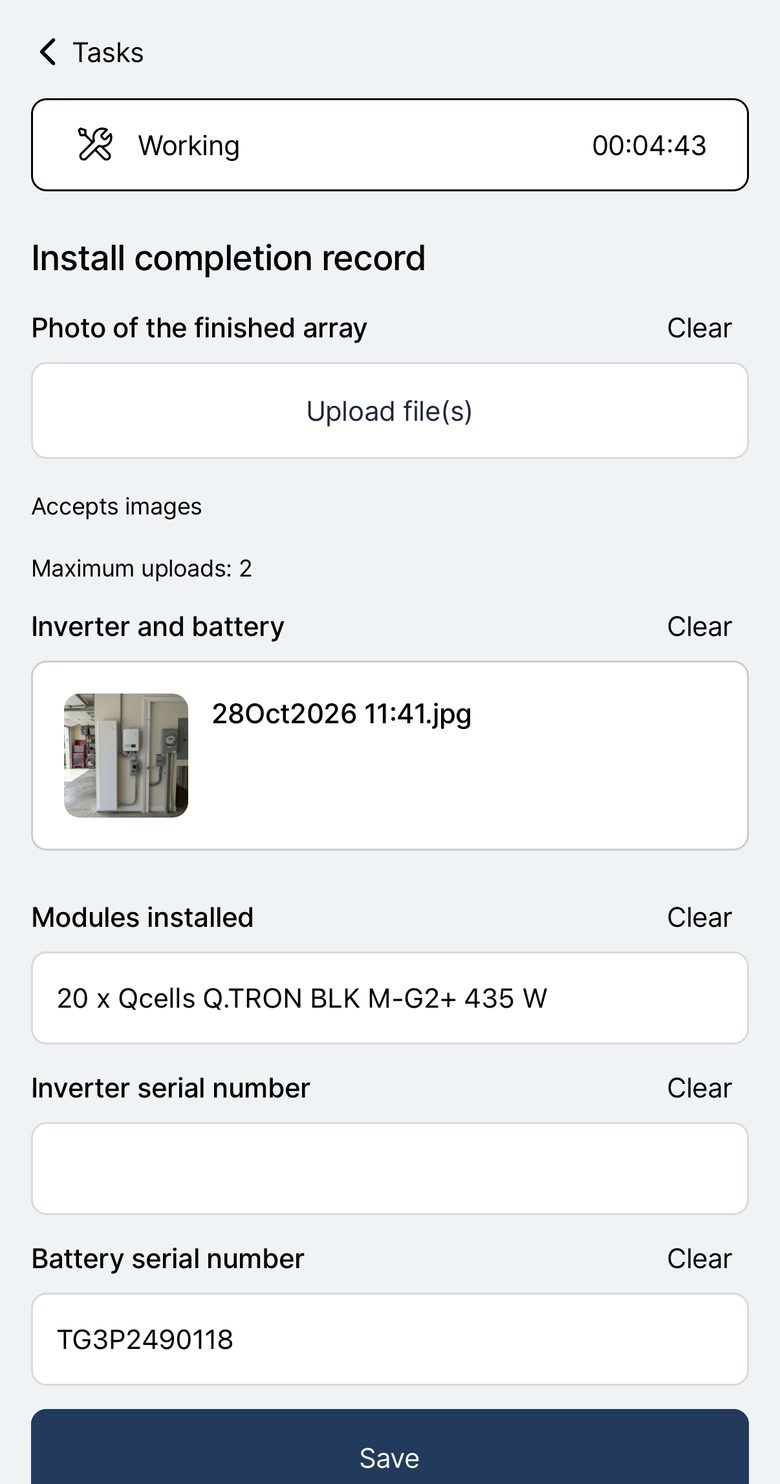
| Field team mobile app | Offline-first app for field crews | Sales app for reps (works offline), not field crews |
| Invoicing | Invoicing with online payment collection | Creates invoices in QuickBooks from a deal; other tools via Marketplace apps |
| AI | Agent Dave answers from your account data, builds automations and drafts documents | AI Sales Assistant, Nova meeting notes on all plans, AI email drafting |
Primary purpose
Operations platform for solar and clean tech install businesses
Sales pipeline CRM
Industry focus
Built for solar, batteries, heat pumps and EV chargers
Generic: works for any sales team
Sales pipeline
Visual pipeline built around the install lifecycle
Visual pipeline of sales deals by stage
Sales tools
Gmail integration, email tracking and automated multi-step follow-ups by email and SMS
Email sync and tracking, sequences, lead routing and forecasting
Permit tracking
Permits, inspections, PTO and interconnection tracked on each project
No built-in permit features: custom fields or tasks by hand
Design tool integration
Glow (limited release), or import from OpenSolar
No solar design built in
Job management
Install projects with scheduling, field jobs and forms
Projects add-on for post-sale tasks and timelines (included on Premium and up)
Quoting
Multi-option proposals with e-signatures
Smart Docs quotes from templates with eSignatures (included on Premium and up)
Field team mobile app
Offline-first app for field crews
Sales app for reps (works offline), not field crews
Invoicing
Invoicing with online payment collection
Creates invoices in QuickBooks from a deal; other tools via Marketplace apps
AI
Agent Dave answers from your account data, builds automations and drafts documents
AI Sales Assistant, Nova meeting notes on all plans, AI email drafting
See it in Payaca
The real product, on our demo accounts.
Operations & scheduling
Schedule your field team on a map and track every job. More on Operations & scheduling
The whole job in 100 seconds
Switching from Pipedrive
Pipedrive exports people, organizations and deals as CSV files. People and organizations come into Payaca as customers with their contacts, and deals as projects at the right pipeline stage, with the tags, custom fields and notes that go with them. Files you still need can be attached to the project.
Guided onboarding is available on Growth and above: we map your workflows, migrate your data and train your team, for a one-off $2,000. The pricing page has the details.
Anything you keep alongside Payaca connects through the open API, webhooks or Zapier.
Which is right for you?
Choose Payaca if
- You want the pipeline and the install on one record
- You need permits, inspections, PTO and interconnection tracked on each project
- You want a field app built for crews, not just sales reps
- You want invoicing with online payment collection on the same project
Consider Pipedrive if
- You're a sales-led team and run delivery in another system
- Sales automation, email tracking and forecasting matter most
- A task list after the won deal is all the delivery tracking you need
Questions
Can I use Pipedrive for my solar installation business?
For sales, yes, and its Projects add-on carries a won deal into a delivery plan with tasks and timelines. What it doesn't cover is the install itself: a field app for your crews, permit and interconnection tracking, and taking payment from the customer. You'd add other tools for those.
What does Pipedrive do well?
Sales pipeline management. Its website leads on a visual pipeline, a mobile app for sales reps (which works offline), sales automation, email tracking and AI deal insights. It's built for closing deals, with Projects as a lighter layer for what comes after.
Is Pipedrive cheaper than Payaca?
On subscription price, usually. Pipedrive charges per seat, and add-ons such as Projects and Smart Docs are only included on its higher plans. You'd still need scheduling, field, permit and payment tools on top. Compare the total cost of running your business, not just the CRM.
What happens after I close a deal in Pipedrive?
With the Projects add-on you can start a project from the won deal, and you can push an invoice to QuickBooks. Crew scheduling, field paperwork, permits and payments happen in other tools. In Payaca, won deals become install projects with scheduling, permit tracking, invoicing and payments on the same record.
Can Pipedrive handle solar permit tracking?
Not out of the box. You can set up custom fields or project tasks and track permits by hand. Payaca tracks permits, inspections, PTO and interconnection on each project, using pipeline stages, custom fields and documents.
Competitor details are based on their public information as of October 29, 2026. Spotted something out of date? Tell us.