Add a Statement of Account to your Projects

Your Document templates can now pull in a Project's financial totals: the agreed Project total, the total invoiced and the total paid. That means a Document can show where a Project stands financially, not just its details.
To put that to work straight away, we have added a ready-made Statement of Account you can drop into your account today.
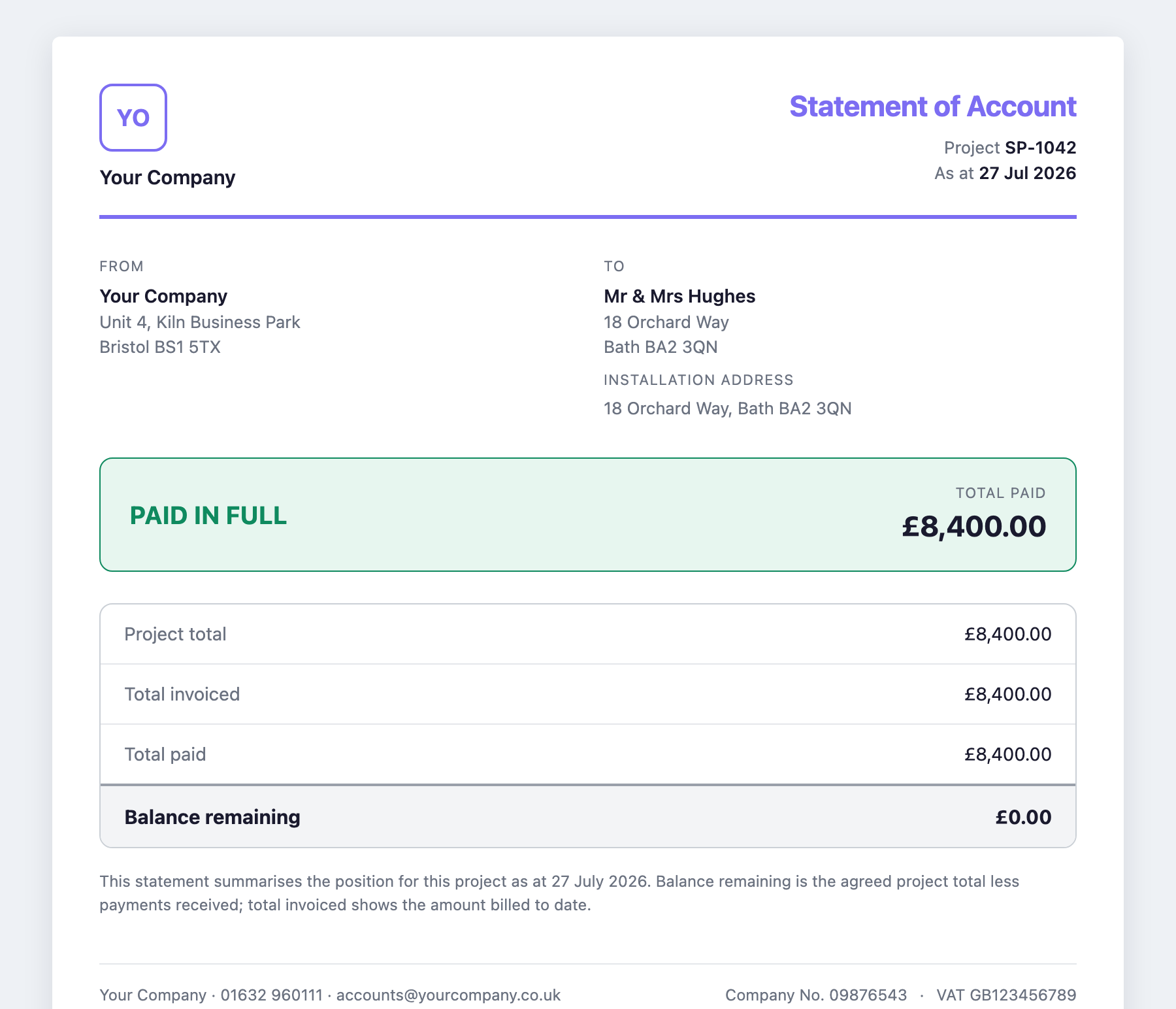
It is a clean, branded summary of a Project's money: what has been invoiced, what has been paid, and the balance remaining. Once everything is settled it clearly reads Paid in Full. It is exactly the proof-of-payment document your Customers and their funders often ask for, whether that is an MCS or Home Energy Scotland handover pack, or simply a clear record that a job is fully paid.
Adding it takes a moment:
- Open Document blueprints, find Statement of Account and click Add to account.
- On any Project, go to the Files tab, choose Generate Document and pick Statement of Account.
- Share it with your Customer through their Portal, where they can download their own copy as a PDF. You can download it your side too whenever you need it.
The figures come straight from the Project, so there is nothing to fill in by hand, and the Document reflects the Project's current position every time you generate it.
Build it into your own Documents
Because these totals are now available as template variables, you are not limited to the Statement of Account. Add Project total, total invoiced and total paid to any of your own Document templates: a completion sheet that confirms payment, a handover pack with the balance on it, or anything else where the numbers matter.
Add the Statement of Account today and see how it looks on one of your Projects.