See total time per person on the Timelogs page

The Timelogs page now totals time by person, so the page you use to review logged time is also where you run timesheets and payroll.
Group by user to see everyone’s total time, total cost, and number of entries for the selected period, sorted by hours. Click into anyone to drop straight to their Timelogs.
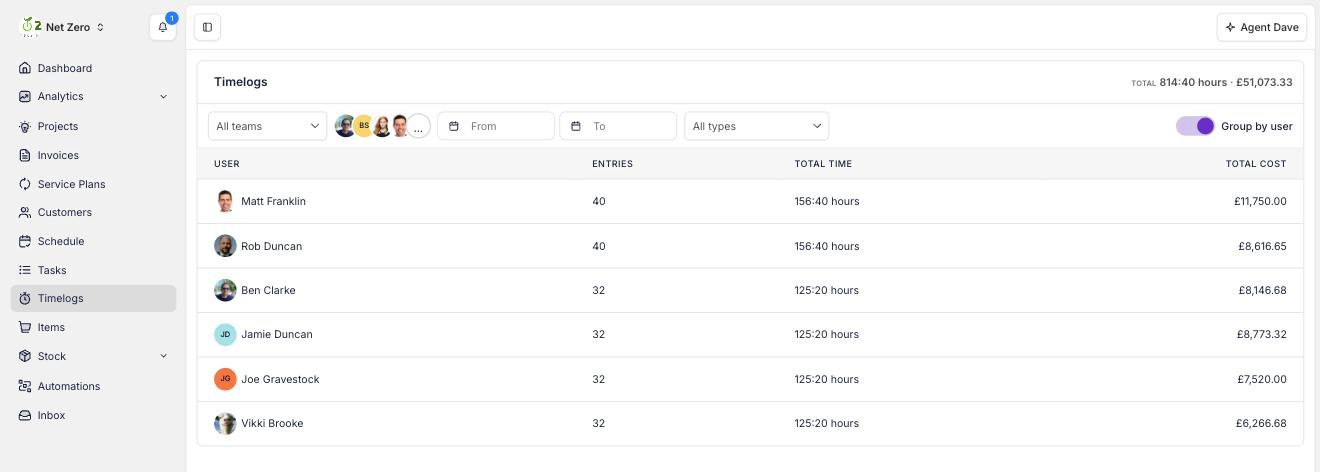
The total for the whole period sits in the header and follows whatever you have filtered. Narrow to a date range, a Timelog type, or specific people, and the total moves with it.
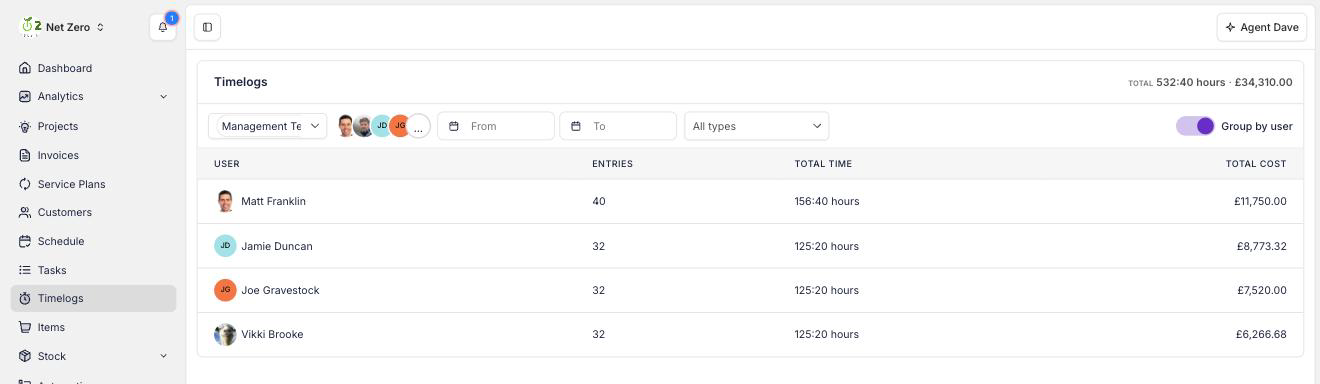
Filter by Team to total a department in a click. A Timelog always belongs to a person, so filtering by a Team covers everyone on it, for example your whole heat pump install crew for last month.
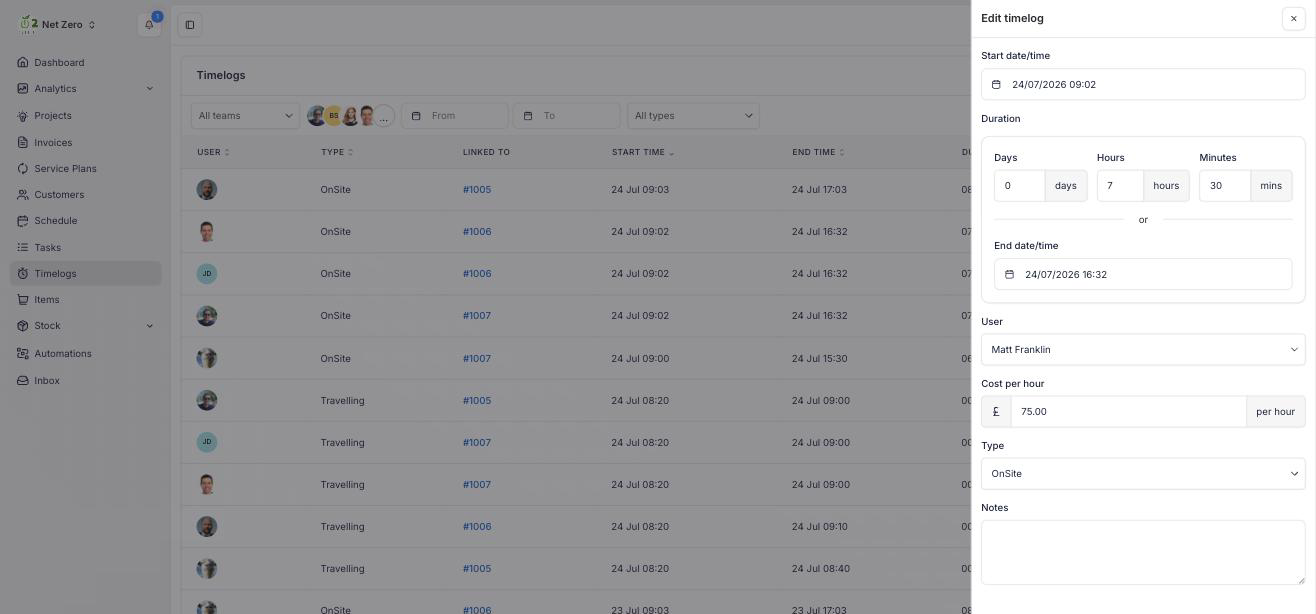
You can also fix entries right here. Edit or delete a Timelog on the page and the totals update immediately, so correcting a mistimed entry before payroll no longer means opening each job.