Pipedrive is a sales CRM. Its strength is the deal pipeline: a clean, visual way to move leads through to a won deal, with a mobile app built around sales reps. Work after the sale goes through Projects, a paid add-on on its lower plans, with generic tasks and timelines rather than install stages.
Payaca runs the whole job, from first enquiry to final invoice. The won deal is the install project, with the survey, the DNO application, the field team, the MCS paperwork and the invoice on the same record. Here's how they compare for a UK install business.
The short answer
Pipedrive is a sales CRM built around the deal. It has no DNO, MCS or install field workflow, which is most of the job for an install business. Payaca runs the deal and the install on one record.
- Payaca is best for businesses that need the pipeline and the install to be the same record, so nothing is rekeyed when a deal is won.
- Pipedrive is best for sales-led teams who want a clean, fast deal pipeline, with light post-sale project tracking through its Projects add-on.
- Payaca publishes its pricing: Growth, the standard plan for established install businesses, is £1,199/month. Current plans and eligibility are on the pricing page. Pipedrive publishes per-seat tiers, with Projects and Smart Docs as paid add-ons on its lower plans.
Looking at this yourself?
We'll show you your own jobs in Payaca, side by side with how you run them in Pipedrive today. Book a demo
Feature comparison
| Feature | Payaca | Pipedrive |
|---|---|---|
| Primary purpose | Complete platform for installation businesses | Sales pipeline and CRM |
| Industry focus | Built for solar, heat pumps, batteries and EV chargers | Generic: works for any sales team |
| Sales pipeline | Visual pipeline from first enquiry to completed install, with automations at each stage | Visual deal pipeline, the core of the product |
| DNO applications | ENA Connect integration for G98/G99 | No DNO application feature, so you'd track it in custom fields |
| MCS compliance | Built-in MCS certificate generation | No MCS documents, so you'd build them yourself in document templates |
| Design tool integration | Design in Payaca with Glow (limited release), or import from EasyPV, Heatpunk and OpenSolar | No native solar or heat pump design integrations, so third-party connectors are needed |
| Job management | The won deal becomes the install project, with stages, tasks, scheduling and documents | Projects for post-sale work, included on Premium and Ultimate and a paid add-on on Lite and Growth. Generic tasks and timelines rather than install stages |
| Quoting | Multi-option clean tech proposals with e-signatures and online payment | Smart Docs quotes and proposals with e-signatures, included on Premium and Ultimate and an add-on on Lite and Growth |
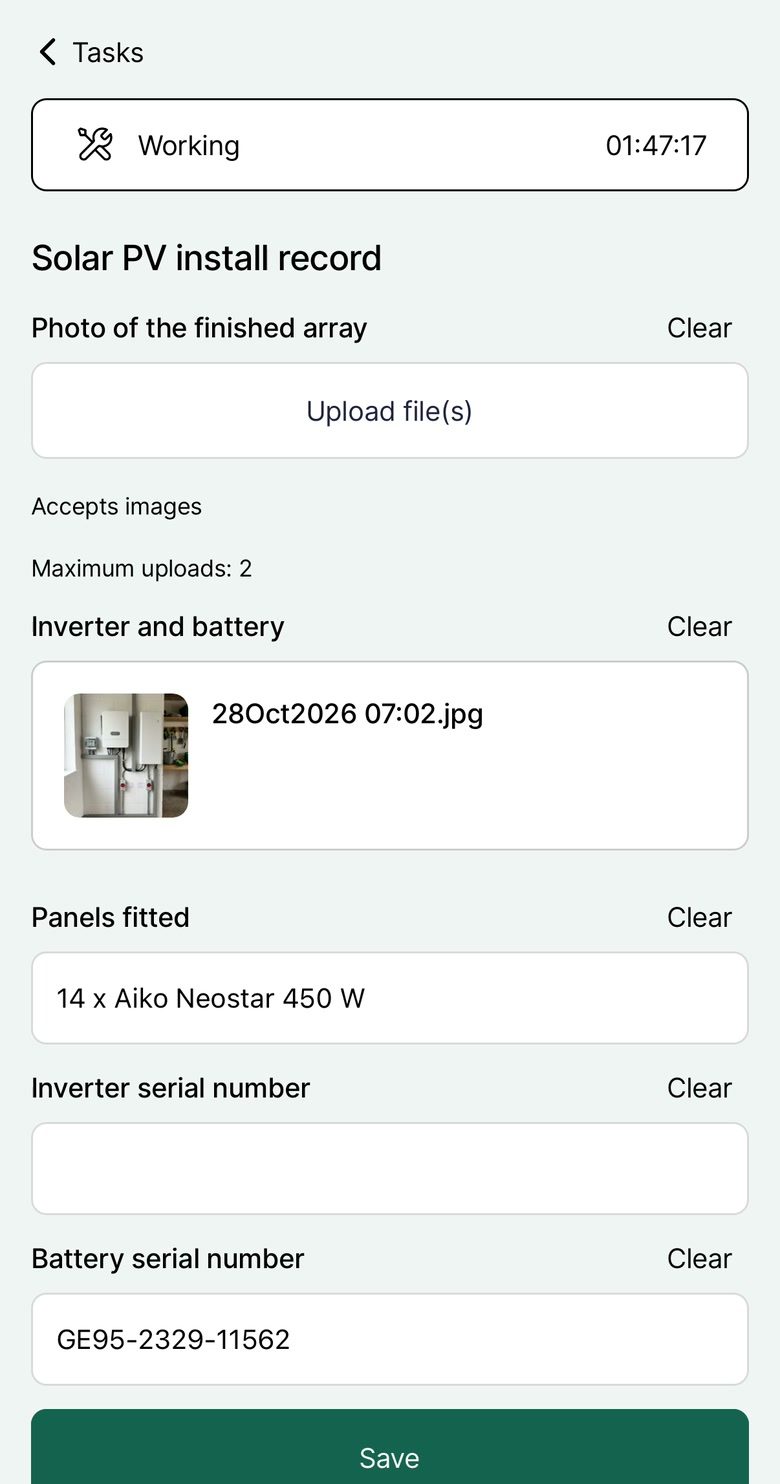
| Field team mobile app | Offline-capable app for your field team, with job forms and photos | Mobile CRM app built around sales reps. Projects on mobile is Android only for now |
| Invoicing | Full invoicing with online payment collection, plus Xero and QuickBooks | Creates invoices from the deal in QuickBooks or another connected invoicing app |
| Scheduling | Map-based scheduling for survey and install teams | Calendar and activities built around sales calls and meetings; field scheduling through Marketplace apps |
Primary purpose
Complete platform for installation businesses
Sales pipeline and CRM
Industry focus
Built for solar, heat pumps, batteries and EV chargers
Generic: works for any sales team
Sales pipeline
Visual pipeline from first enquiry to completed install, with automations at each stage
Visual deal pipeline, the core of the product
DNO applications
ENA Connect integration for G98/G99
No DNO application feature, so you'd track it in custom fields
MCS compliance
Built-in MCS certificate generation
No MCS documents, so you'd build them yourself in document templates
Design tool integration
Design in Payaca with Glow (limited release), or import from EasyPV, Heatpunk and OpenSolar
No native solar or heat pump design integrations, so third-party connectors are needed
Job management
The won deal becomes the install project, with stages, tasks, scheduling and documents
Projects for post-sale work, included on Premium and Ultimate and a paid add-on on Lite and Growth. Generic tasks and timelines rather than install stages
Quoting
Multi-option clean tech proposals with e-signatures and online payment
Smart Docs quotes and proposals with e-signatures, included on Premium and Ultimate and an add-on on Lite and Growth
Field team mobile app
Offline-capable app for your field team, with job forms and photos
Mobile CRM app built around sales reps. Projects on mobile is Android only for now
Invoicing
Full invoicing with online payment collection, plus Xero and QuickBooks
Creates invoices from the deal in QuickBooks or another connected invoicing app
Scheduling
Map-based scheduling for survey and install teams
Calendar and activities built around sales calls and meetings; field scheduling through Marketplace apps
See it in Payaca
The real product, on our demo accounts.
Operations & scheduling
Schedule your field team on a map and track every job. More on Operations & scheduling
The whole job in 100 seconds
What happens after you win the deal?
Pipedrive is built around getting to the won deal. For an install business, that's where most of the work starts. In Payaca, each of these steps happens on the same project:
- Schedule the survey, and send the surveyor out with the mobile app
- Submit the DNO application, G98 or G99 through ENA Connect
- Install and commission, with the field team on the offline mobile app
- Generate the MCS certificate and the compliance documentation
- Invoice and collect payment, online through the customer portal
In Pipedrive, a won deal can start a project with tasks and timelines, but the rest of this list lives in other apps.
Switching from Pipedrive
Pipedrive exports your organisations, people, deals and activities as CSV or Excel files. We map organisations and people to Payaca customers and contacts, and open deals to projects at the matching stage of your pipeline, then import them through Payaca's import tooling. Custom fields you've added to deals can come across as Payaca custom fields.
Guided onboarding comes with Growth and above, as a one-off £1,500. It covers mapping your workflow into Payaca, migrating the data and training the team.
Which is right for you?
Choose Payaca if
- You want the won deal to become the install project, with nothing rekeyed
- You want G98 and G99 applications submitted through ENA Connect from the job
- You want MCS documentation, scheduling and a field app on the same record
- You want invoicing, online payments and Xero or QuickBooks built in
Consider Pipedrive if
- You're a sales-led team and a clean, fast deal pipeline is what you need most
- You run delivery in other tools and only need light post-sale task tracking
Questions
Can I use Pipedrive for my solar installation business?
Pipedrive handles sales pipelines well, and its Projects add-on tracks tasks past the won deal. But it's a generic sales CRM: there's no DNO application, no MCS paperwork, no install-specific field app and no solar or heat pump design connection built in, so you'd still be adding tools and building templates to run the full job.
What does Pipedrive do well?
Pipedrive is good at visual sales pipeline management. The interface is clean, the mobile app is good for sales reps, and its website also lists AI features for email, reporting and deal follow-up. It's designed around closing deals, with project management added on, rather than around installation projects and UK compliance.
Is Pipedrive cheaper than Payaca?
Pipedrive's per-seat price starts lower, but Projects and Smart Docs cost extra on the cheaper plans, and you'd still need field service tools, an invoicing app and compliance tracking alongside it. Compare the total cost of running the whole job, not one tool.
What happens after I close a deal in Pipedrive?
In Pipedrive, a won deal can start a project with tasks and timelines, but scheduling engineers, DNO applications, MCS paperwork and invoicing still live in other apps. In Payaca, the won deal is the installation project, with scheduling, compliance tracking and invoicing on the same record. No handoff needed.
Can Pipedrive handle installation scheduling?
Pipedrive's calendar and activities are built around sales calls and meetings. For engineer diaries, map-based scheduling and field dispatch you'd typically add a Marketplace app or separate scheduling software.
Should I use Pipedrive for sales and another tool for operations?
You could, but you'd have data silos and manual processes between systems. When a deal closes, someone needs to recreate it in your operations tool. Payaca keeps everything connected: your sales pipeline flows directly into project management, scheduling and invoicing.
Competitor details are based on their public information as of 29 October 2026. Spotted something out of date? Tell us.