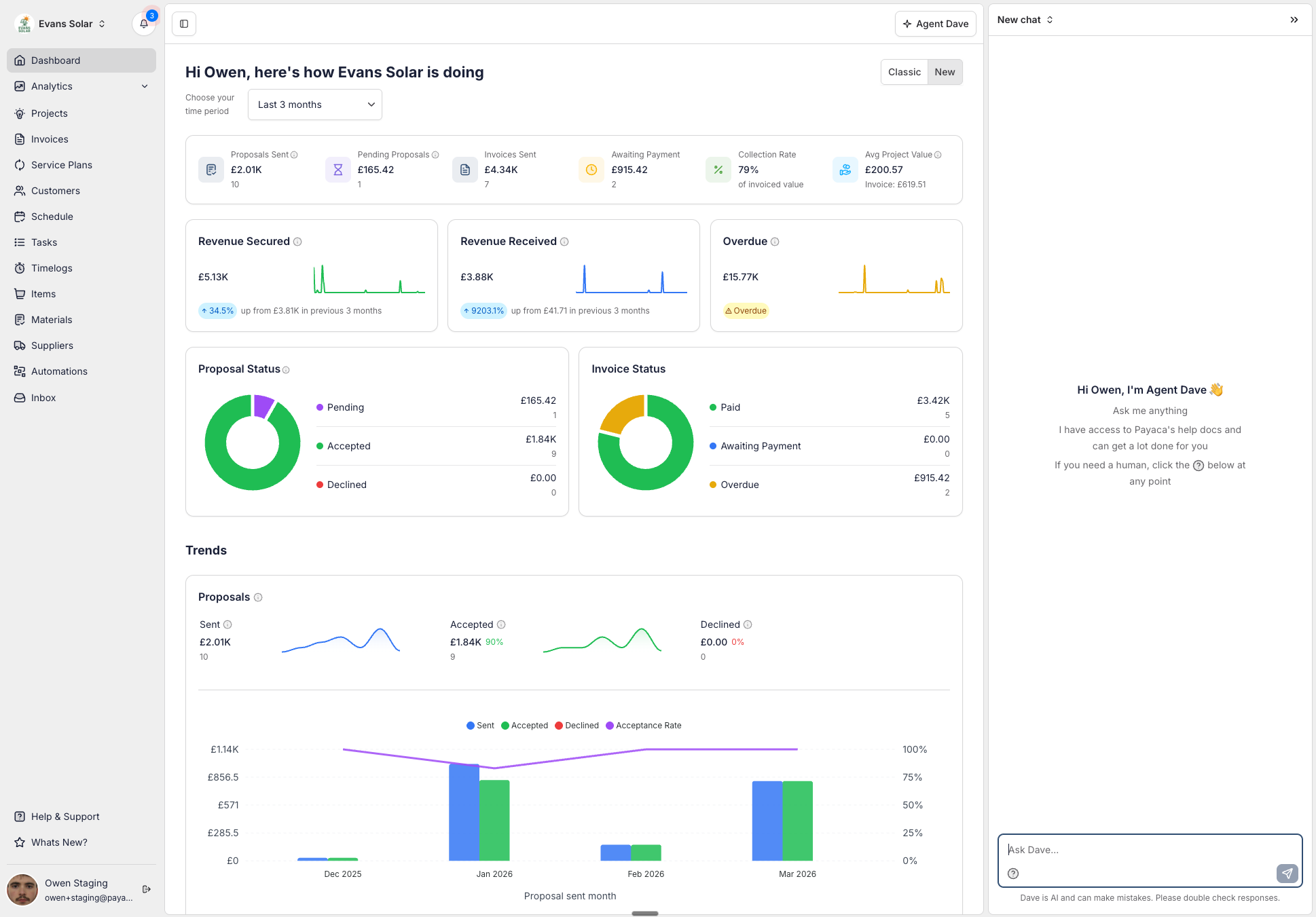
Agent Dave now lives in a side panel

Agent Dave chat has moved out of its floating modal and into a dedicated side panel on the right of your screen.
Why we moved it
Previously, Agent Dave opened in a draggable modal that sat on top of your work. This meant you had to reposition it to see the page behind.
Now, the chat slides open as a side panel that stays with you as you move around Payaca. Ask a question while reviewing a Project, check something while editing an Invoice - no more juggling windows.
Human support, right where you need it
We've also moved the Speak with a Human button into the Agent Dave chat panel. If Dave can't help, hitting the button will open a conversation with our support team and carry over your chat history, so they can pick up right where Dave left off.
Refreshed navigation styling
You'll also notice a subtle refresh to the main navigation menu - we've updated the styling with a new colour palette for a cleaner, more modern feel.