Convert HTML files into PDFs for 3rd party sharing

We have updated the new HTML form functionality to now include converting to these into PDFs to allow you to share them outside of just the customer portal (i.e. sending to manufacturers for warranties, sharing with architects for updated designs, or to upload to your commercial client's own portal)!
How To
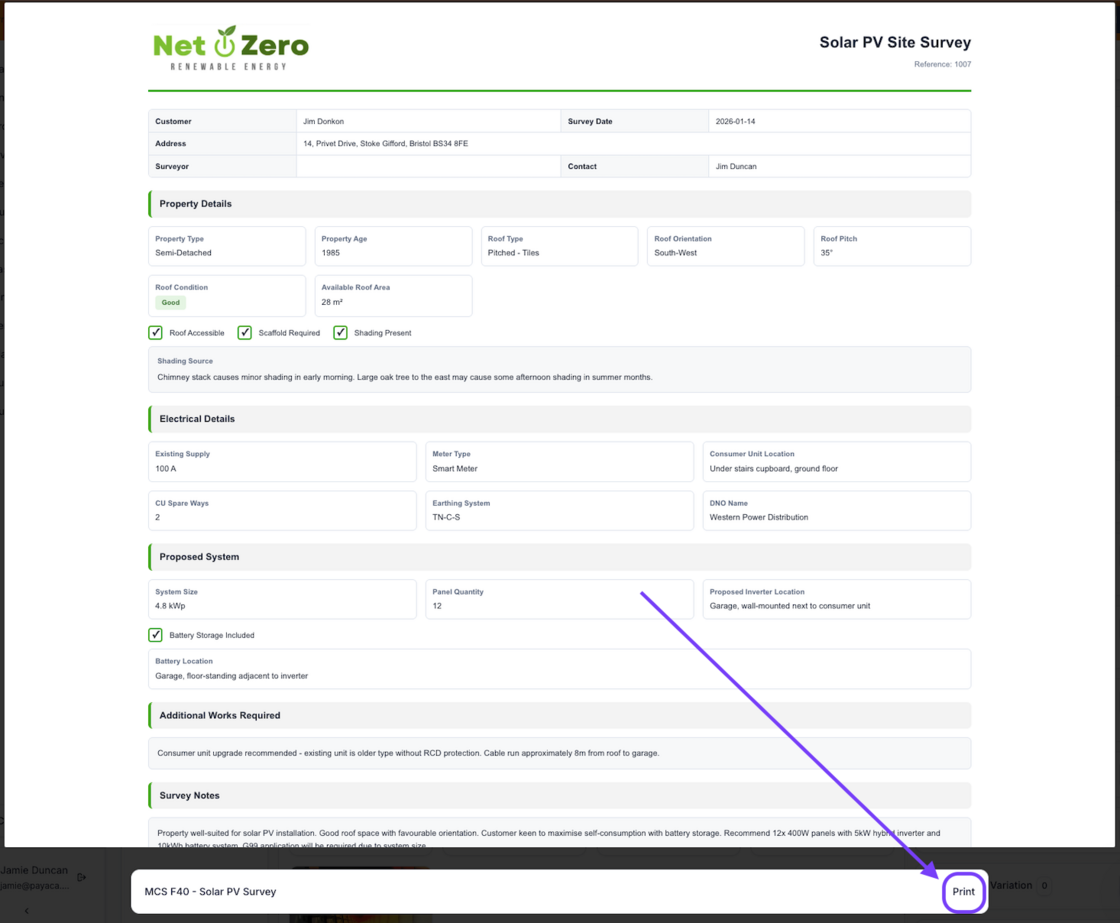
- Once you've generated the form within a project, click into the file and choose Print at the bottom of the file.
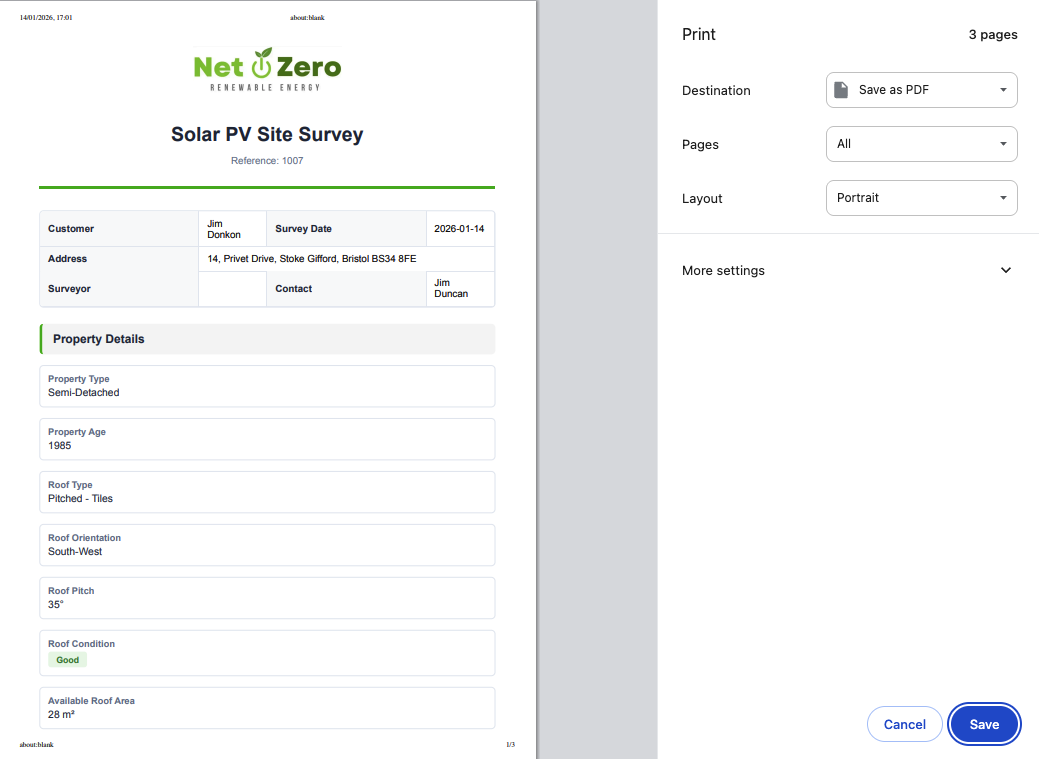
- Then Save as PDF and you can export this file from Payaca and share however you like while keeping the same personal branding in your new forms.
Done!