Email the people saved on each project

Plenty of jobs involve someone other than your customer: the electrician who referred them, the subcontractor fitting the heat pump, the surveyor you sent round. They change from project to project, so you keep them in project custom fields. Automation emails can now go straight to them.
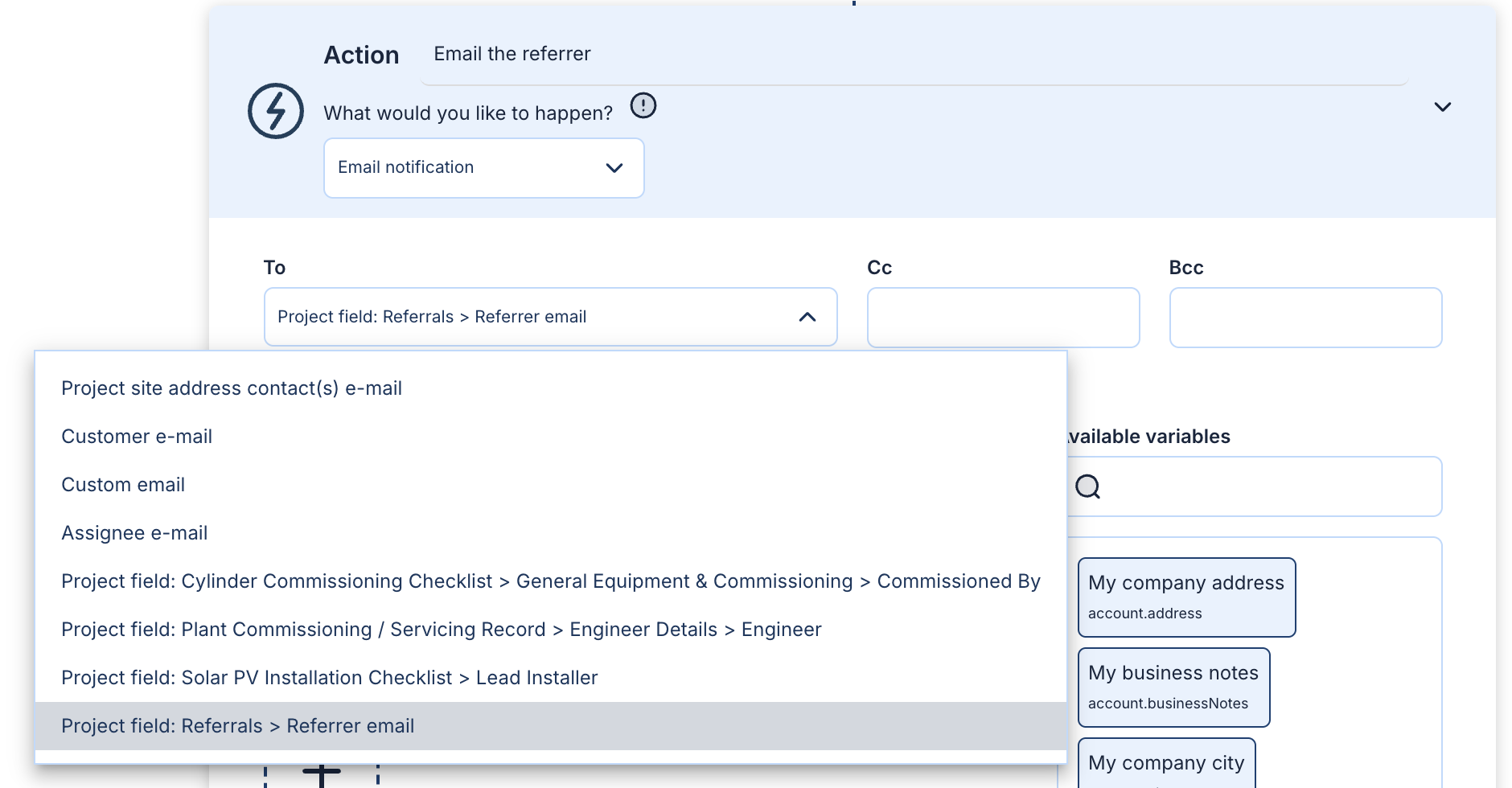
Pick the field as the recipient
In an email action, open the To list. Every email field and user field in your project fieldsets is listed as Project field: Fieldset > Field, for example Project field: Referrals > Referrer email.
When the automation runs, the email goes to:
- An email field: the address saved in it on that project
- A user field: the email address of the team member picked in it
While an automation sends to a field, Payaca won't let you delete it.
Set your fields up under Settings → Custom data → Project custom fields, then add the email on your automations page. Or ask Agent Dave: "Email the project's referrer when it moves to Installed."
Want to see this working?
Book a demo and we'll show you on the kind of jobs you run, or watch short clips of the app first.