See where every material stands in the Field App

Your engineers can now see where every material on a job stands. On a visit's Materials screen, each material has one card showing:
- Required: what the job needs
- On hand: what has arrived for the job, and any more than it needs
- Ordered: what's on a sent purchase order, with the PO and supplier
- To order: what's still needed
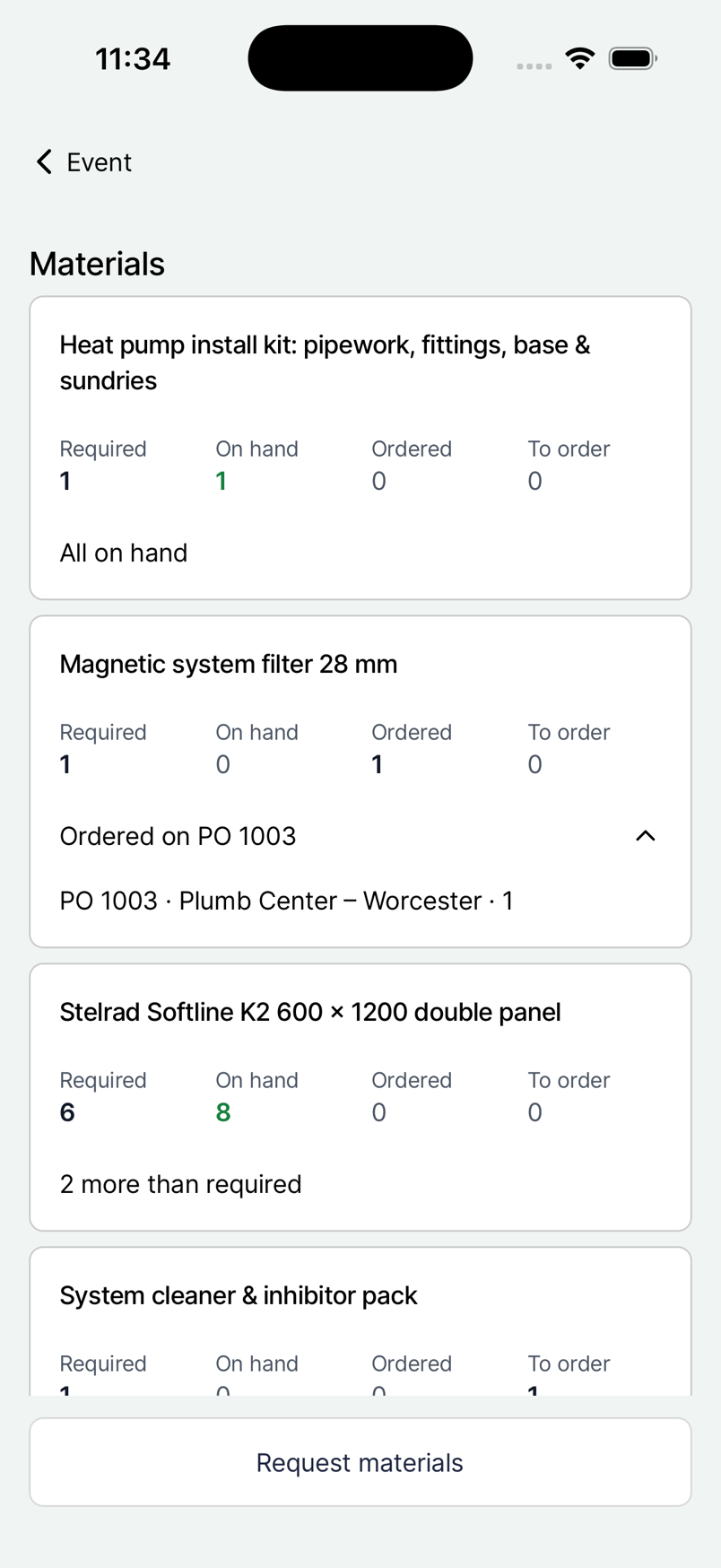
A draft purchase order counts as To order until it's sent. To ask the office for more, tap Request materials.
Want to see this working?
Book a demo and we'll show you on the kind of jobs you run, or watch short clips of the app first.