Company Settings now easier to find and update

Account configuration used to spread across 13 different pages in Payaca web: tax, payments, document templates, team roles, and more. Finding the setting you needed meant hunting through multiple screens.
We've now moved all account configuration settings under Settings in a searchable sidebar with clear categories and sections.
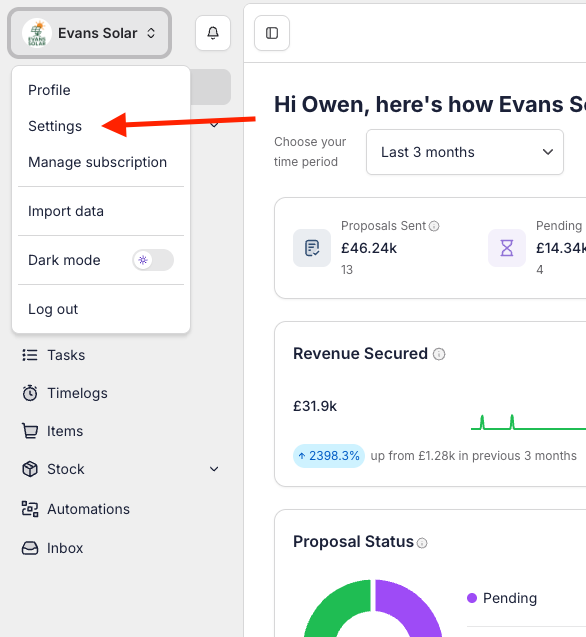
To reach company settings, click your company icon in the top left and select Settings from the dropdown.
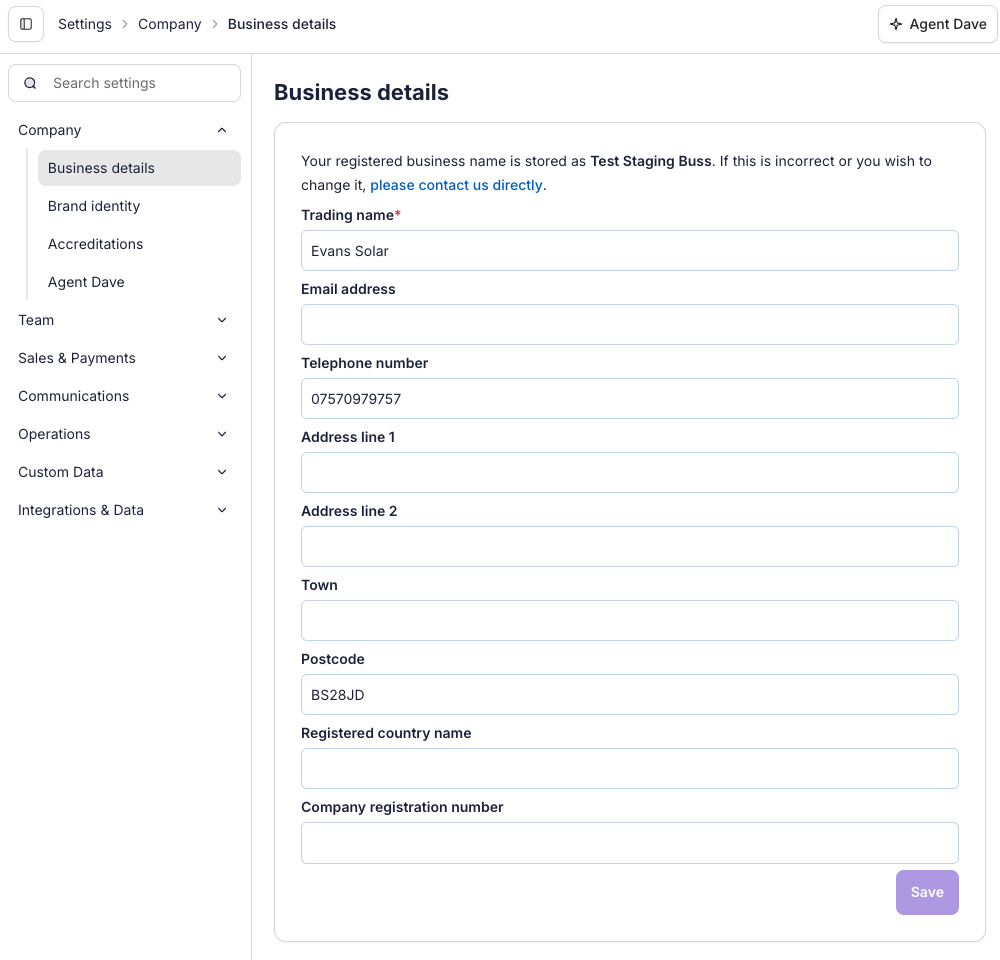
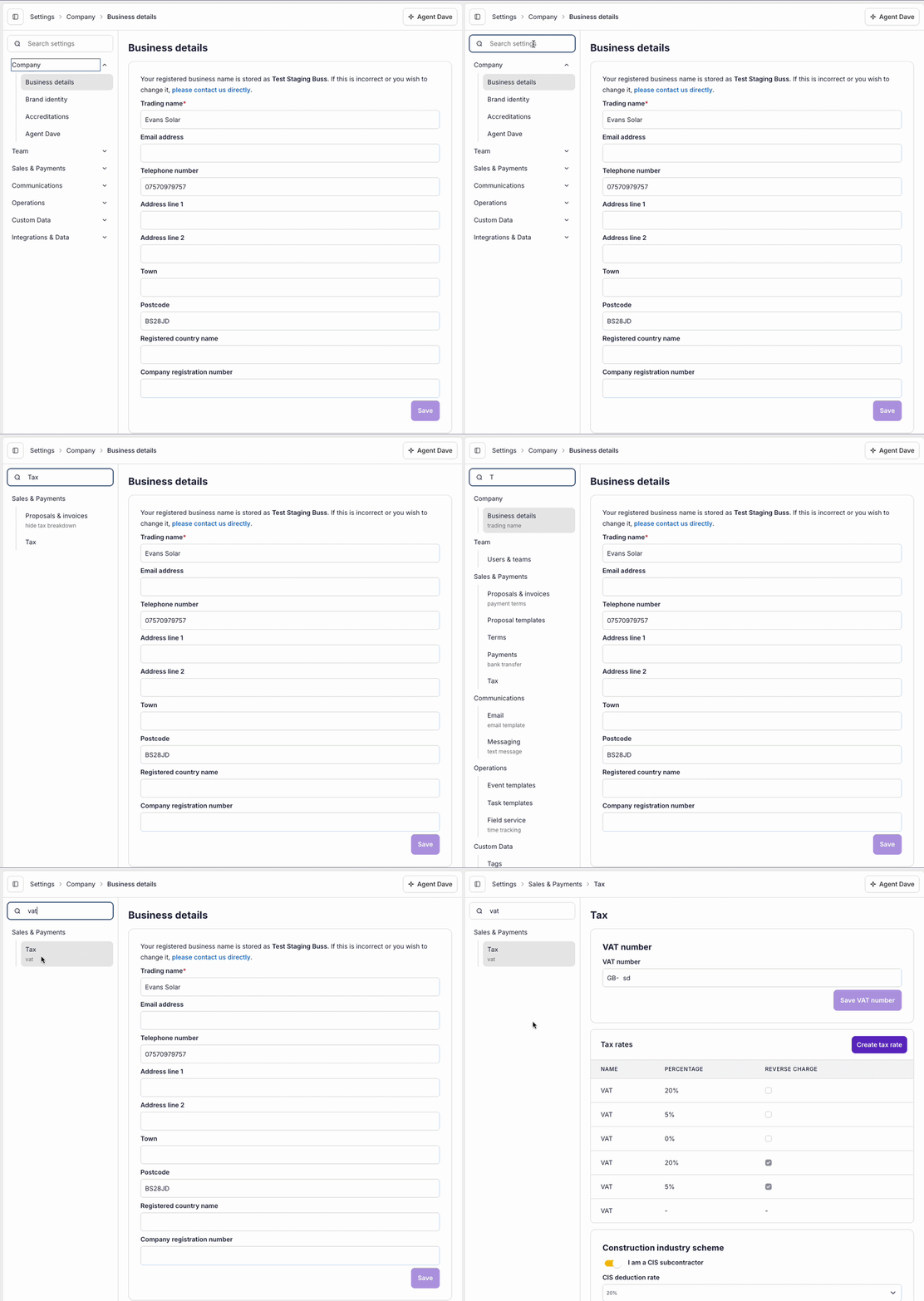
Type "vat" to find tax settings, or "stripe" to reach payments. Search works across all section names and their contents.
We've also replaced the autosave functionality on configuration pages with a dedicated save button, so you control when changes take effect.