
Jobber is field service software for home and commercial service businesses: HVAC, plumbing, landscaping, cleaning and other trades. Its strength is the service visit: quick quotes, calendar scheduling with route optimisation, invoicing and a mobile app for the field team. It has no DNO application or MCS compliance features, and no solar or heat pump design tools in its app marketplace.
Payaca is built for solar, heat pump, battery and EV charger install businesses, where a job runs over several stages: design with Glow and Flow (both limited release), multi-option proposals, the G98 or G99 application through ENA Connect, the install, MCS documentation and the invoice, on one project. Here's how they compare.
The short answer
Payaca is built for renewables projects, so it's the better fit once MCS, DNO or multi-visit installs are in the picture. Jobber is general home service software, suited to reactive and recurring visits.
- Payaca is best for growing install teams of roughly 10 to 50 people running multi-stage renewables projects with grid and certification obligations.
- Jobber is best for smaller service teams who want quick quoting, scheduling and invoicing without the weight of project or compliance workflow.
- Payaca publishes its pricing: Growth, the standard plan for established install businesses, is £1,199/month. Current plans and eligibility are on the pricing page. Jobber publishes per-plan pricing, with users included by plan and extra users charged on top.
Looking at this yourself?
We'll show you your own jobs in Payaca, side by side with how you run them in Jobber today. Book a demo
Feature comparison
| Feature | Payaca | Jobber |
|---|---|---|
| Industry focus | Built specifically for clean tech: solar, heat pumps, batteries, EV | Home and commercial service management for HVAC, plumbing, landscaping, cleaning and other trades |
| DNO applications | Direct integration with ENA Connect for G98/G99 applications | No DNO application features, so G98/G99 is handled outside Jobber |
| MCS compliance | Built-in MCS certificate generation and documentation | No MCS compliance features |
| Design tool integration | Design solar in Payaca with Glow and estimate heat pumps with Flow (both limited release), or import from EasyPV, Heatpunk, OpenSolar and Spruce | No solar or heat pump design tools in its app marketplace |
| Quoting & proposals | Multi-option proposals built from the design, with e-signatures and grants such as BUS shown as their own deduction | Quotes with package options, optional add-ons, online approval and deposits |
| Scheduling | Calendar and map scheduling: jobs as pins on the map, filtered by engineer, so new work goes to whoever's nearby | Calendar scheduling with route optimisation |
| Mobile app | Field app that works fully offline: schedule, checklists, photos, time logs, and documents and signatures captured on site | Mobile app for field teams |
| Invoicing | Invoices and staged payment schedules from the project, card and bank payments, two-way Xero and QuickBooks sync | Invoicing and online payments, with QuickBooks Online and Xero integrations |
| Client communication | Customer portal with project tracking and online payments | Client hub where customers request work, approve quotes and pay |
| AI features | Agent Dave built in: answers from your account data, drafts proposals and templates, and builds automations you check before they go live. Plus an MCP server for Claude and Cursor | Jobber AI chat and voice assistant that drafts quotes and builds reports, plus an AI Receptionist on the Plus plan |
Industry focus
Built specifically for clean tech: solar, heat pumps, batteries, EV
Home and commercial service management for HVAC, plumbing, landscaping, cleaning and other trades
DNO applications
Direct integration with ENA Connect for G98/G99 applications
No DNO application features, so G98/G99 is handled outside Jobber
MCS compliance
Built-in MCS certificate generation and documentation
No MCS compliance features
Design tool integration
Design solar in Payaca with Glow and estimate heat pumps with Flow (both limited release), or import from EasyPV, Heatpunk, OpenSolar and Spruce
No solar or heat pump design tools in its app marketplace
Quoting & proposals
Multi-option proposals built from the design, with e-signatures and grants such as BUS shown as their own deduction
Quotes with package options, optional add-ons, online approval and deposits
Scheduling
Calendar and map scheduling: jobs as pins on the map, filtered by engineer, so new work goes to whoever's nearby
Calendar scheduling with route optimisation
Mobile app
Field app that works fully offline: schedule, checklists, photos, time logs, and documents and signatures captured on site
Mobile app for field teams
Invoicing
Invoices and staged payment schedules from the project, card and bank payments, two-way Xero and QuickBooks sync
Invoicing and online payments, with QuickBooks Online and Xero integrations
Client communication
Customer portal with project tracking and online payments
Client hub where customers request work, approve quotes and pay
AI features
Agent Dave built in: answers from your account data, drafts proposals and templates, and builds automations you check before they go live. Plus an MCP server for Claude and Cursor
Jobber AI chat and voice assistant that drafts quotes and builds reports, plus an AI Receptionist on the Plus plan
See it in Payaca
The real product, on our demo accounts.
Compliance & documentation
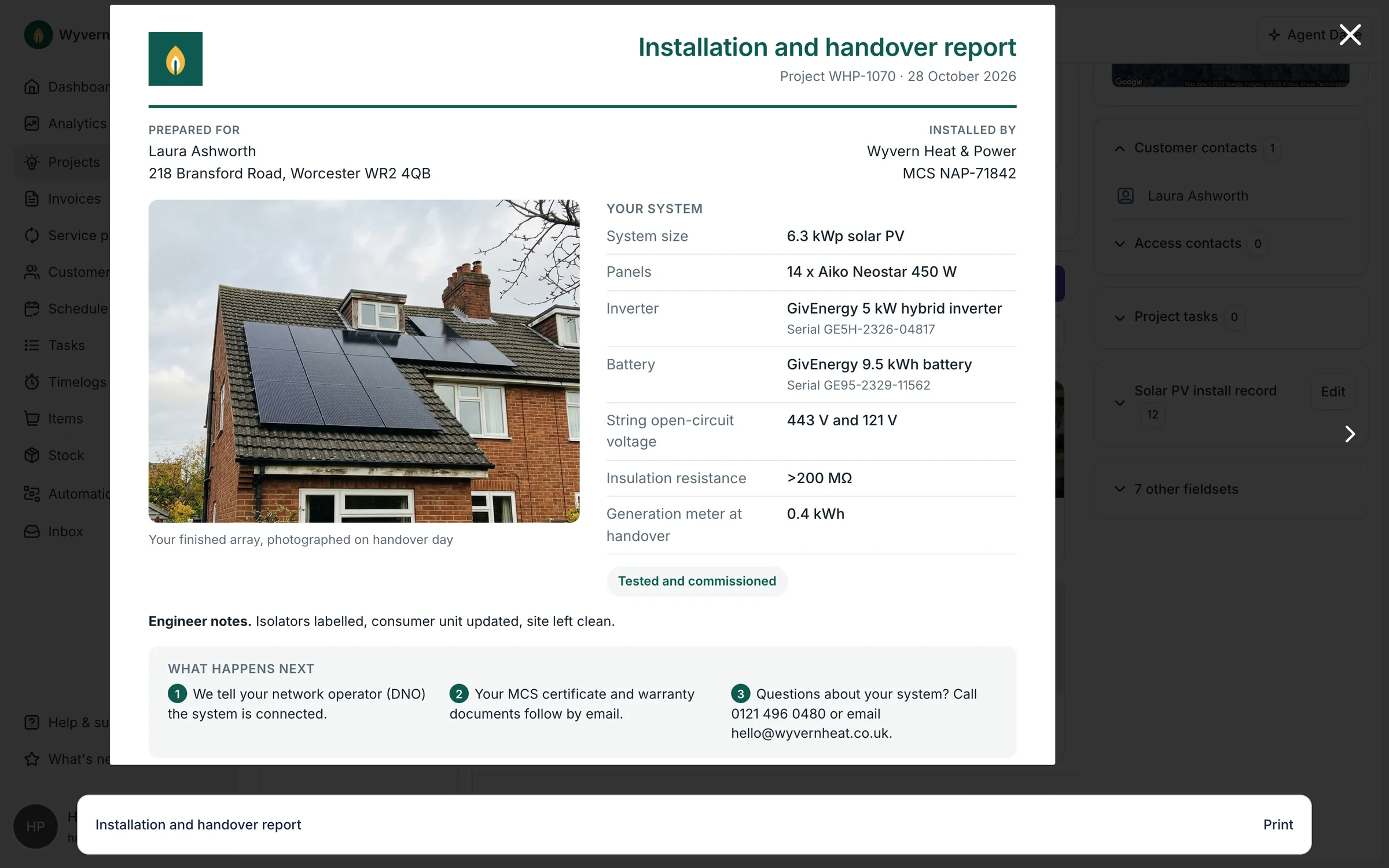
Generate MCS documents and keep every certificate on the job. More on Compliance & documentation
Operations & scheduling
Schedule your field team on a map and track every job. More on Operations & scheduling
The whole job in 100 seconds
Switching from Jobber
Export your clients and jobs from Jobber as CSV. We load them through our import tooling as customers, contacts, addresses and projects, with open work placed at the right stage of your Payaca pipeline and notes carried across.
Recurring maintenance visits move onto Payaca service plans, billed through your own Stripe account. Past invoices aren't rebuilt: your accounting package stays the record of them.
Growth and above include guided onboarding: we map your workflow, migrate your data and train your team, for a one-off £1,500.
Which is right for you?
Choose Payaca if
- You install solar, heat pumps, batteries or EV chargers
- You need DNO applications (G98/G99)
- You need MCS compliance documentation
- You want AI that knows your projects, compliance and pipeline
Consider Jobber if
- You do general home services (plumbing, landscaping, HVAC)
- You don't need renewable-specific compliance
- You want a simpler tool for reactive service work
Questions
What's the main difference between Payaca and Jobber?
Jobber is a general field service platform for home and commercial service businesses such as plumbing, HVAC and landscaping, built around reactive and recurring visits. Payaca is built for clean tech install businesses (solar, heat pumps, batteries, EV chargers), with solar design, DNO applications and MCS compliance on the same project as the quote and the install. If you do renewable energy work, Payaca understands your compliance requirements and installation workflows.
Does Jobber handle DNO applications or MCS compliance?
No. Jobber doesn't have DNO application support or MCS compliance features. You'd need to handle G98/G99 applications and MCS documentation through separate tools or manual processes.
Is Jobber cheaper than Payaca?
Jobber publishes plans with lower entry prices, set by plan and included users, with extra users charged on top. None of its plans include clean tech features. For an install business that needs solar design, compliance paperwork and multi-option proposals, factor in the cost of the workarounds and extra tools when comparing.
Which is better for solar installation businesses?
Payaca is built for solar install businesses, with solar design in Payaca with Glow (limited release) plus imports from EasyPV and OpenSolar, DNO applications via ENA Connect, and solar-specific proposal templates. Jobber is better suited for general home services work.
Can I migrate from Jobber to Payaca?
Yes. Clients, properties and jobs come across from a Jobber export. The section above sets out what moves and how. Book a demo to scope yours.
Competitor details are based on their public information as of 29 October 2026. Spotted something out of date? Tell us.